Data Subject
The Data Subject page is used to view and manage all registered data subjects within the system. A data subject refers to an individual whose personal data is collected, stored, or processed by the organization. On this page, a complete list of existing data subjects along with their basic details is displayed.
All operations such as editing, deleting, and viewing the consents of a Data Subject are performed through the Actions menu for the selected subject.
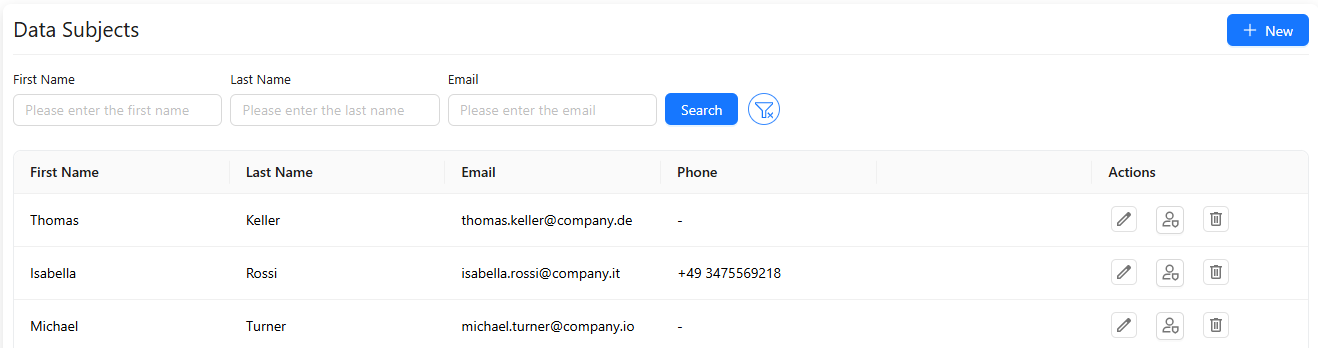
To create a new data subject, click + New in the top-left corner of the page.
-
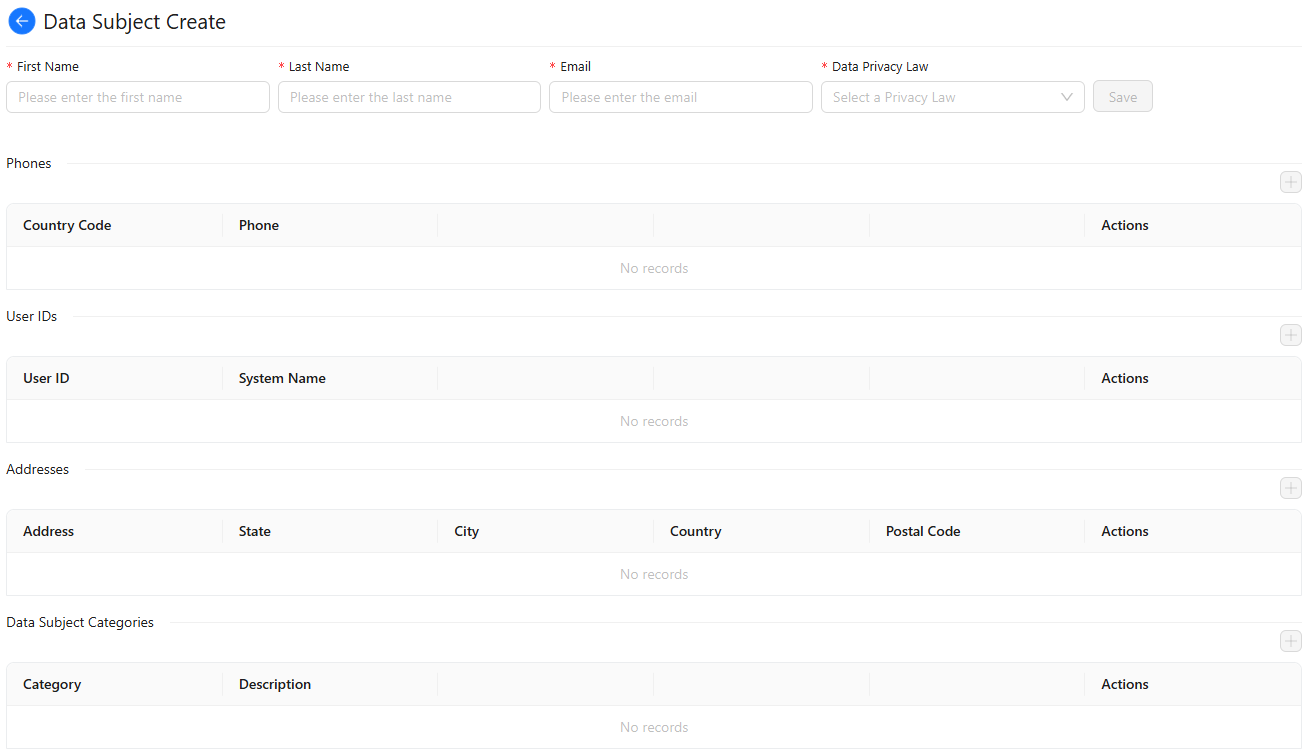
Enter the first name, last name, and email address, then select the applicable data privacy law.
-
Add the personal information such as phone numbers, user IDs, addresses, and data subject category details.
-
When all required fields are completed, click Save to create the new data subject record.