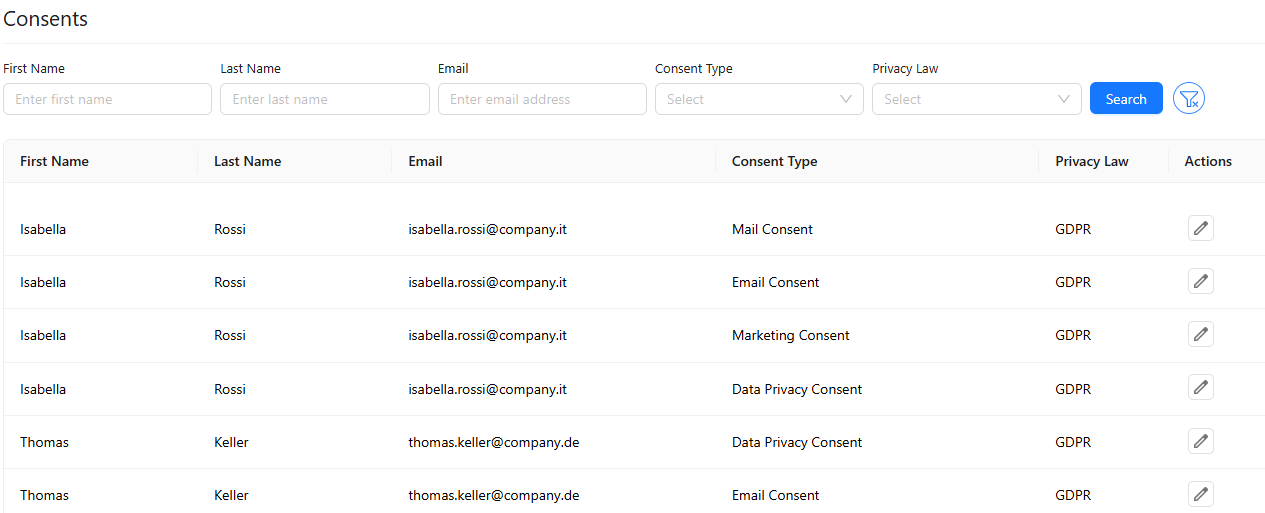
Consents
The Consents menu is the main page where communication and data processing permissions granted by customers, employees, and prospects (Data Subjects) are viewed and managed in accordance with KVKK and other applicable regulations.
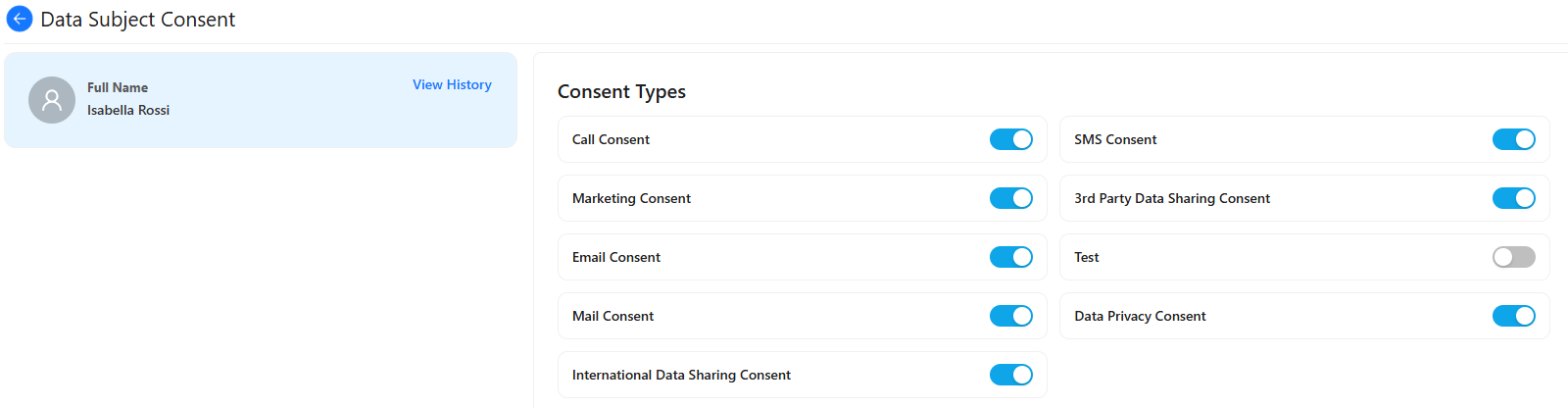
By using Edit button from the Actions, users can opt in or opt out of specific data processing activities, update their consent preferences at any time, and revoke previously given consents whenever needed.
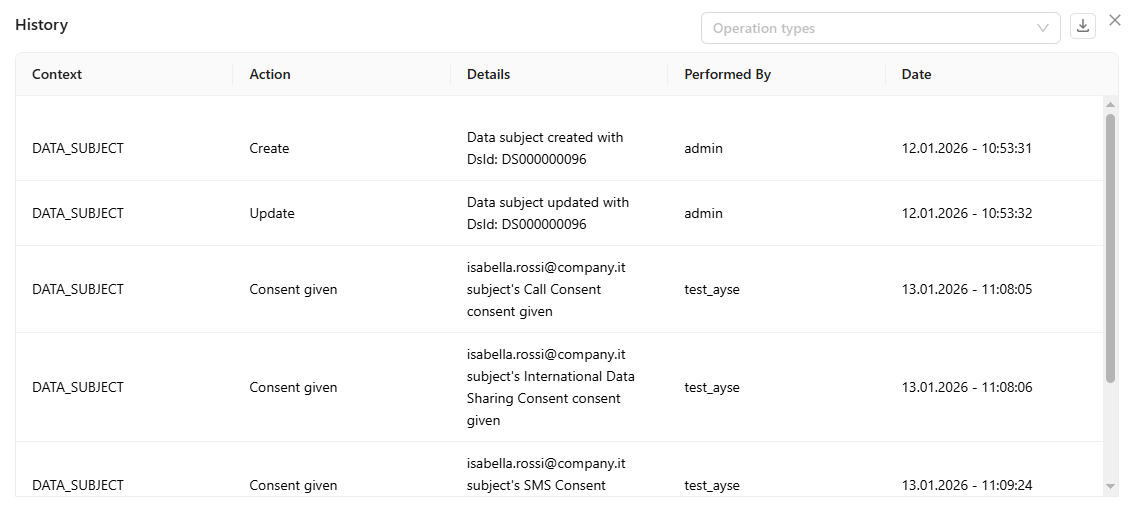
On the Consents edit page, click View History in the upper-right corner of the data subject card to display a list of all updates, including who made the change and the date and time. To download the history, click Download.